
Thank you for your interest in subscribing to the website of the Salonika Campaign Society. This page explains and outlines what happens when you subscribe.
What can you subscribe to?
At the bottom of every page on the Salonika Campaign Society website is a box inviting visitors to subscribe to (1) regular news updates from the Society. There is also a separate option, (2) enabling visitors to subscribe to our newsletter The New Balkan News.
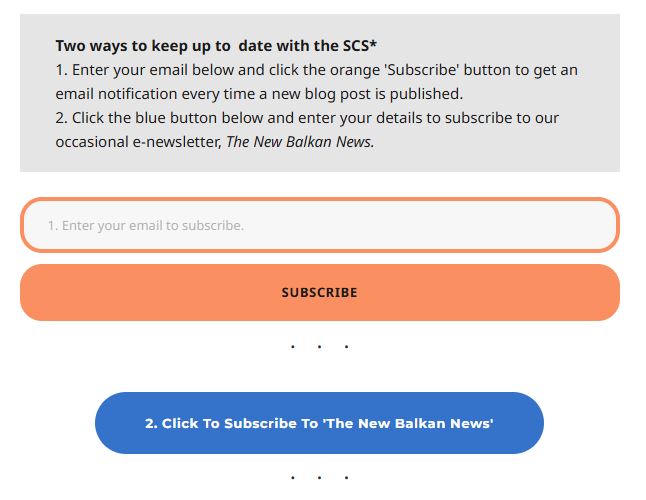
You can choose to subscribe to both or either of these. Or choose not to subscribe at all!
1. Subscribing to news from the SCS website
First of all, subscribing to our site is not the same as subscribing to the Society. Subscription to the site is available to Society members and non-members alike. Membership of the Society is separate and managed by the Membership Secretary.
Secondly, our site is hosted by WordPress.com – so, when you subscribe to the Society’s site, it is WordPress that manages the news that it sends you. To do this, WordPress will set up an account for you. This allows you to manage the news that is sent and, should you wish, unsubscribe.
When you have subscribed to the site, you will be automatically sent an email of any news item that is posted on the site. Think of it as subscribing to an occasional newsletter from the site.
Step 1 – Entering your email address
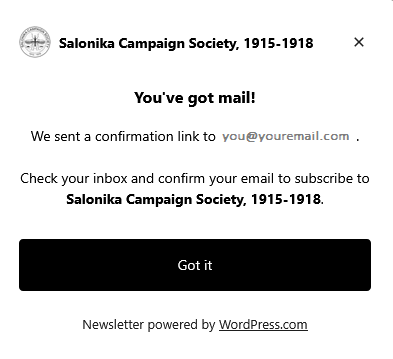
Enter your email into the orange box and click on the orange button. You will then see something like the screenshot below. Check that the email shown is yours i.e. that you have entered it correctly:
Step 2 – Confirming your email address
Now check your email. If there is no mail from WordPress, check your Spam/Junk folder. You will then see something like this:
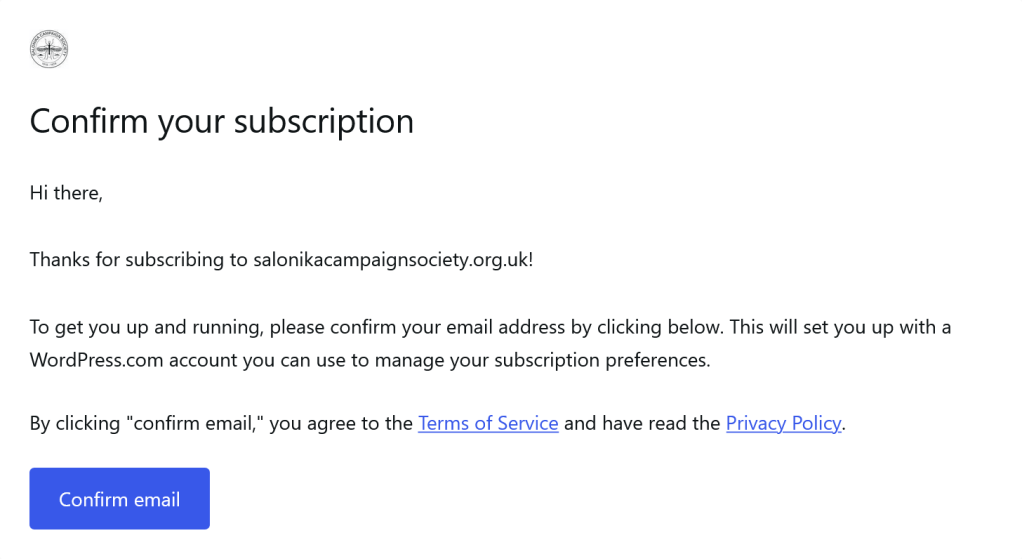
Click the blue button to confirm your email. WordPress will now set up an account for you to manage your subscription.
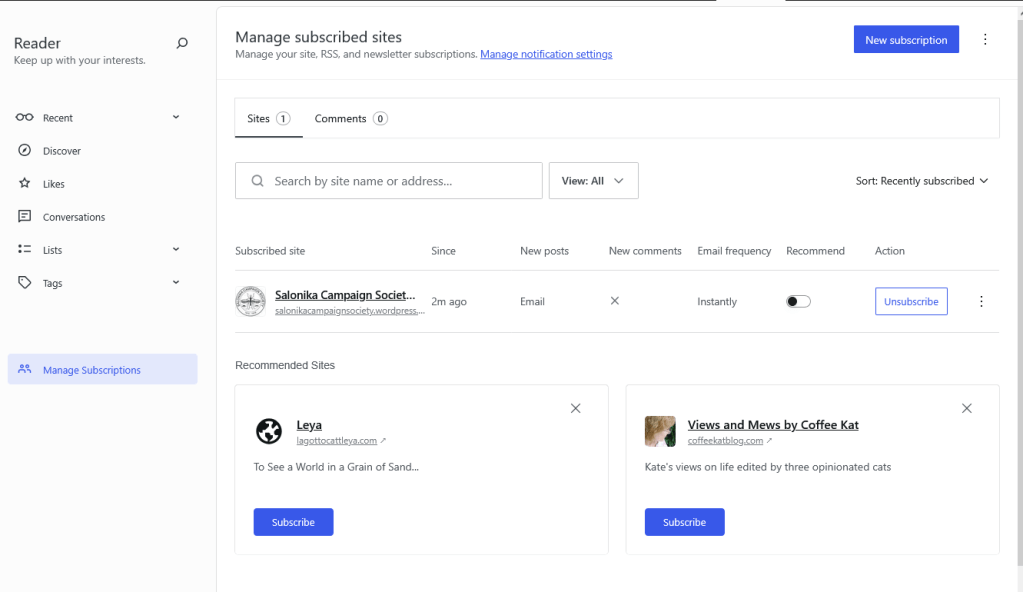
WordPress will give you the option to manage the type of cookies used by them.

Step 3 – Managing your WordPress account
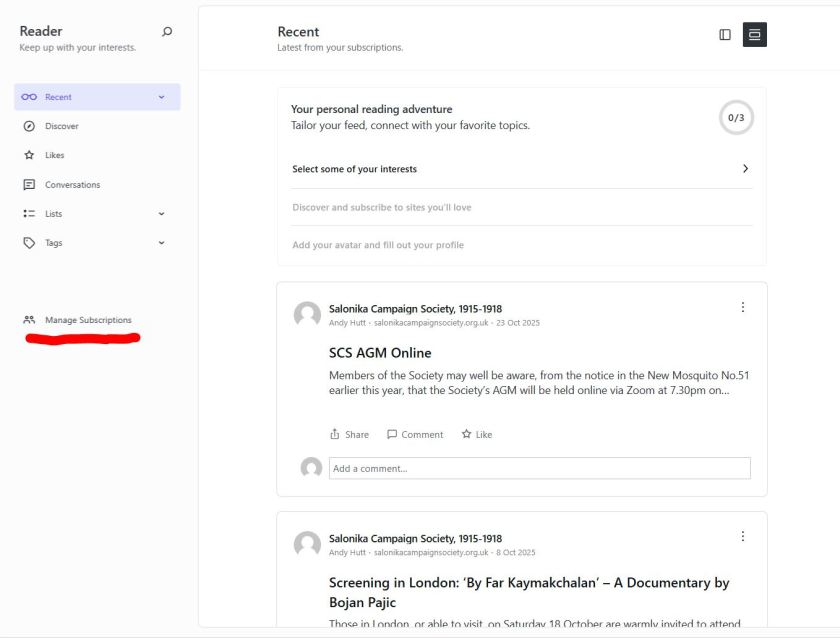
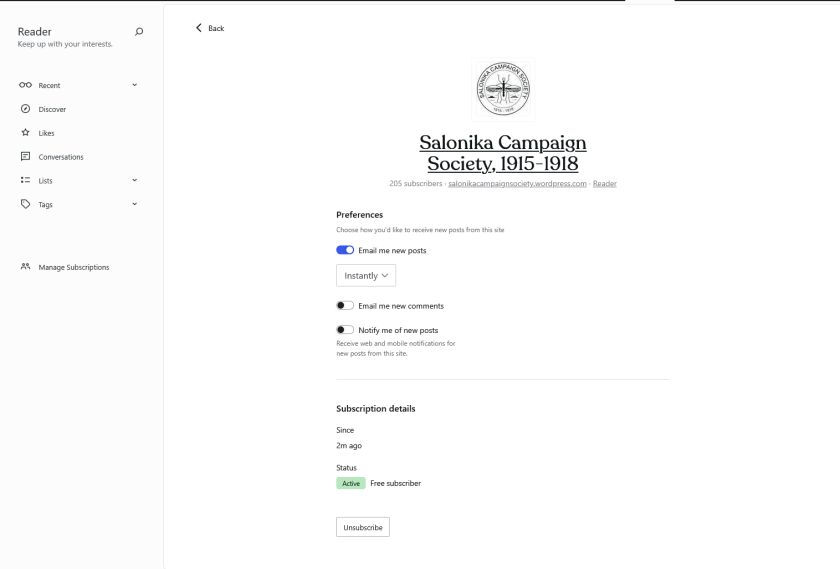
You can manage the subscription at any time. Visit the Login page of wordpress.com and enter the email address used to subscribe. An email will be sent asking you to confirm the email. Once you have done this you can read all previous news items and you will be able to manage and/or cancel your subscription.
2. Subscribing to The New Balkan News
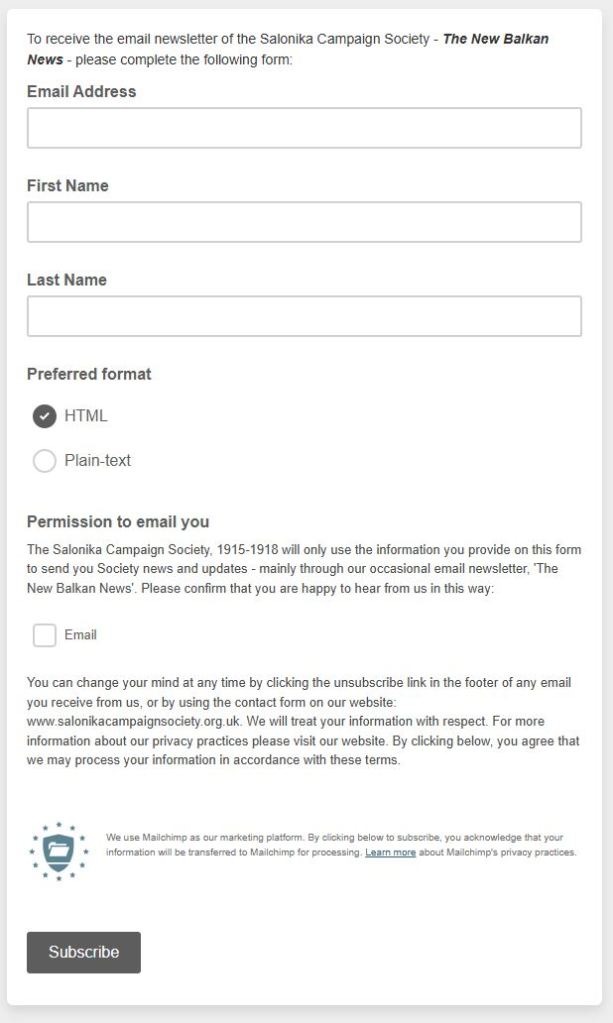
The New Balkan News is an occasional newsletter from the Society – usually sent two or three times a year. The newsletter is available to Society members and non-members alike. Subscribers to the NBNs are managed by the Web Officer of the Society. You can unsubscribe at any time.
 Salonika Campaign Society, 1915-1918